
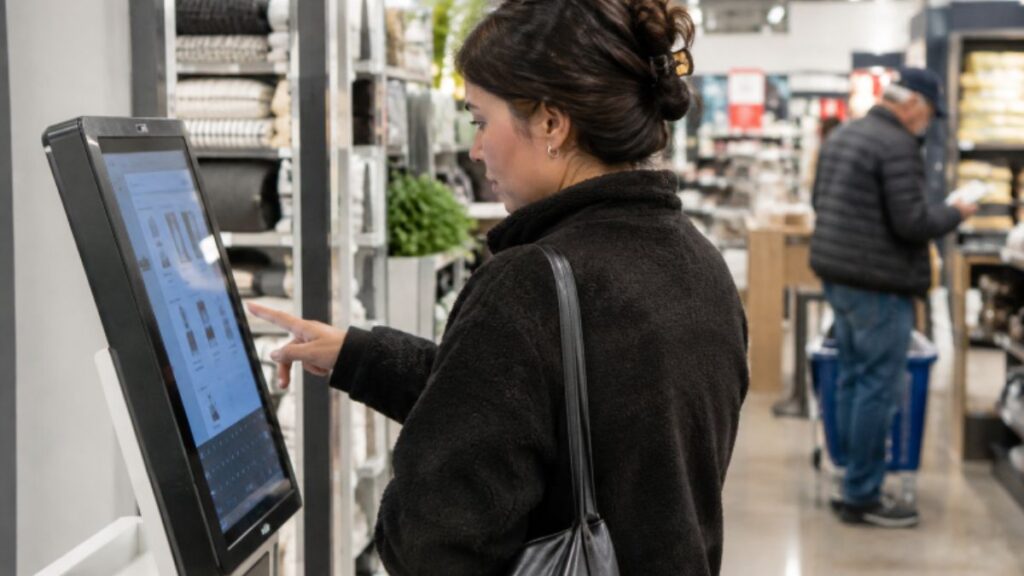
Retail self-service is no longer limited to a payment screen near the exit. When designed around real customer needs, POS kiosks and other in-store tools can help shoppers find products, confirm availability, collect orders, begin returns, and get answers without waiting at a service counter.
The goal is not to remove human service from the store. It is to make simple tasks easier to complete, so employees have more time for product advice, complex requests, and the personal support that technology cannot always provide.
Why Retail Self-Service Is Moving Beyond Checkout
Checkout remains an important use case, but it is only one moment in a store visit. Customers may need to locate an item, compare options, check whether another size is available, retrieve an online order, or understand a return policy. Self-service can shorten these small delays by giving customers a clear path to an answer.
A strong system handles routine tasks quickly while making it easy to request help. That balance matters. A shopper choosing a complicated product may prefer an employee, while someone looking for aisle information may simply want an immediate answer.
Common Customer Problems Self-Service Can Solve
Before selecting technology, identify the friction customers experience most often. Common opportunities include:
- Long lines at checkout or the service desk
- Difficulty finding products, departments, or fitting rooms
- Unclear stock availability or product location
- Slow pickup and return processes
- Limited product details on shelf labels
- Language barriers or uncertainty about next steps
A well-placed station can let shoppers search a catalog, compare features, check local availability, or request assistance without leaving the department they are shopping in.
How To Choose The Right Retail Use Case
Start With The Task, Not The Device
Retailers should begin with customer comments, employee observations, and operational data. A focused solution for one high-friction task is often easier to explain, support, and improve than a single screen expected to solve every problem.
- Identify the task that causes the most waiting time or the most repeated questions.
- Estimate how often the task occurs during a normal day.
- Determine whether customers can complete it without expert advice.
- Confirm that the required inventory, order, or pricing data is available.
- Test the experience in one department or location before expanding it.
Designing A Simple And Accessible Experience
Customers should understand a self-service station within seconds. Use direct labels, large touch targets, plain language, visible progress steps, and a clear option to return or ask for help. Avoid long forms, crowded menus, and instructions that rely on color alone.
Accessibility should shape both the screen and the physical installation. Consider screen height, reach range, readable text, contrast, language selection, and alternative input methods. Guidance on accessible digital experiences also highlights the value of clear labels, instructions, and error messages.
For example, a product search journey should allow a shopper to enter a product name, review relevant results, view location or availability information, and choose a next step, such as viewing alternatives or asking for assistance.
Connecting Self-Service With Store Systems
Self-service is only as useful as the information behind it. A product search tool needs current details, prices, locations, and availability. A pickup or return workflow needs reliable order status and transaction records. When displayed information is wrong, customers may lose confidence in both the tool and the store.
Depending on the use case, the experience may need connections to point-of-sale software, inventory systems, order management platforms, loyalty accounts, payment services, returns tools, content management systems, and remote device monitoring.
Using Self-Service To Support Staff
Self-service should reduce repetitive work, not isolate employees from shoppers. A product locator can answer basic location questions. A pickup station can reduce pressure at a busy counter. A digital catalog can help employees show items that are not displayed on the sales floor.
Staff training remains essential. Employees should know how to demonstrate the system, assist a customer who gets stuck, and take over smoothly when a request requires judgment or empathy.
Security, Privacy, And Payment Considerations
Plan For Exceptions Before Launch
Any station that handles payments, loyalty accounts, order details, or customer contact information needs thoughtful safeguards. Review user access, software updates, device monitoring, tamper protection, outage alerts, data retention, and a fallback process for network interruptions.
Privacy notices should be easy to find and easy to understand when personal information is collected. Retail teams can also use the Federal Trade Commission’s guidance on privacy and security practices as a starting point for internal planning. Customers should always have a reasonable human-assisted alternative when self-service is unavailable or unsuitable.
How To Measure Results After Launch
Usage alone does not prove that a project is working. Review completed tasks, abandoned sessions, average task time, assistance requests, system uptime, customer feedback, pickup or return processing time, and product searches that continue into a purchase journey.
Review results regularly during the early rollout. Small changes, such as clearer button labels, improved instructions, or a more visible location, can reduce confusion without requiring a full redesign.
Common Mistakes To Avoid
- Installing technology without defining the customer problem first
- Displaying outdated pricing, inventory, or order information
- Creating too many steps for a simple task
- Hiding the station where shoppers will not notice it
- Overlooking cleaning, maintenance, and connectivity needs
- Ignoring accessibility or the need for human support
- Measuring sales while overlooking customer effort and task completion
Conclusion
Effective retail self-service starts with a useful purpose. The best systems make routine tasks faster, clearer, and less frustrating while giving employees more time for meaningful customer support. Retailers can create better store journeys by focusing less on adding screens and more on making each interaction connected, accessible, accurate, and easy to complete.